Google Play — Editor's Pick · New Month, New Apps · July 2026 · United States · 4.8★ · 5,000+ Downloads Featured alongside apps with 100K–500K downloads · Google Play Editors · Smart reminders for your favourite links · Also featured in Geeky Gadgets · Bug.hr · Mr. AndroidFHD · Enoch Boateng · Matt Robb Google Play — Editor's Pick · New Month, New Apps · July 2026 · United States · 4.8★ · 5,000+ Downloads Featured alongside apps with 100K–500K downloads · Google Play Editors · Smart reminders for your favourite links · Also featured in Geeky Gadgets · Bug.hr · Mr. AndroidFHD · Enoch Boateng · Matt Robb
Features Smart Paste QR Share Compare
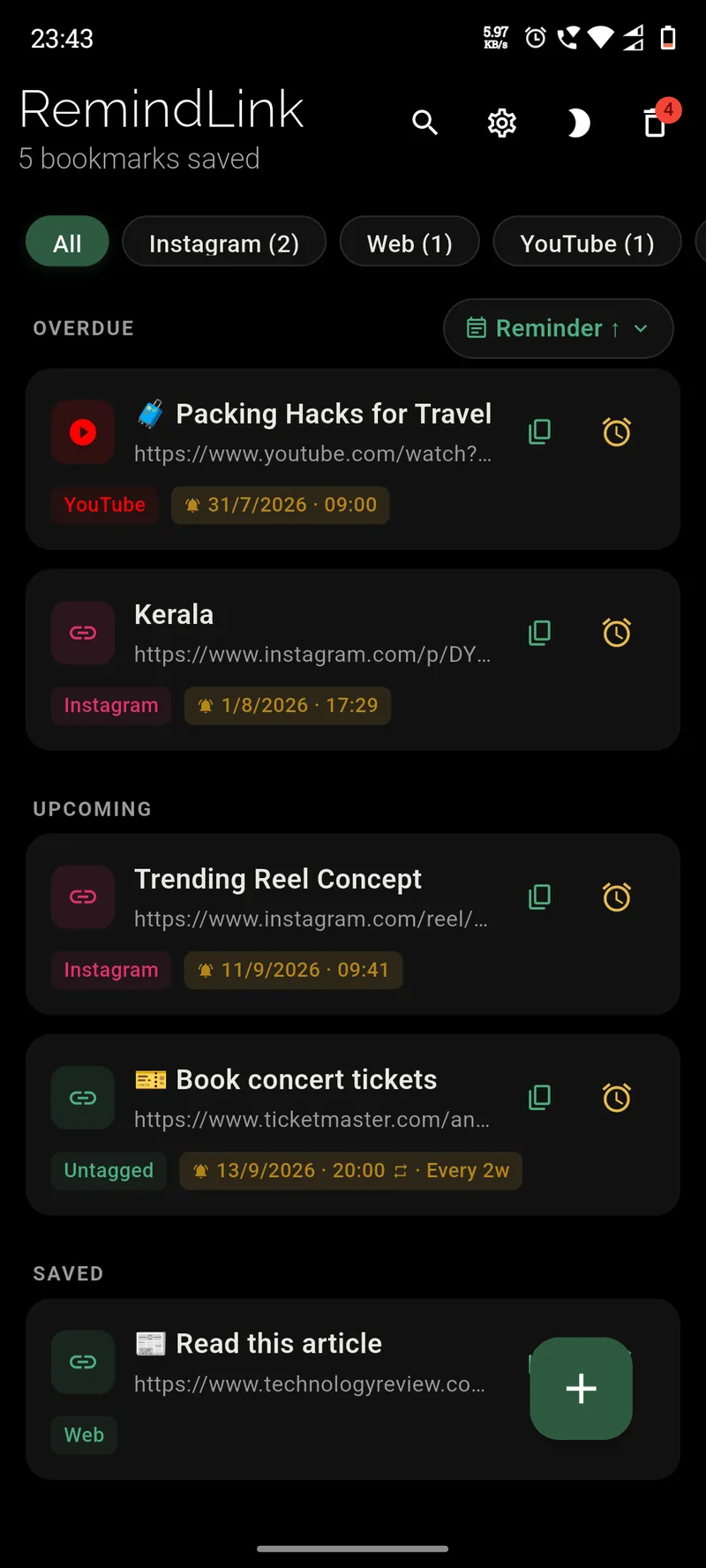
RemindLink app screenshot showing saved bookmarks with reminder times

Save the link.
Get reminded to read it.

RemindLink is a free bookmark reminder, bookmark manager, and QR code generator for Android & iOS. Save any URL, set a reminder, and get it back when you actually have time to read it.

5,000+ downloads 4.8 Ratings
As seen in

Features

Everything you need.
Nothing you don't.

Built for people who save links and forget about them. Simple to use, private by design.

🔗

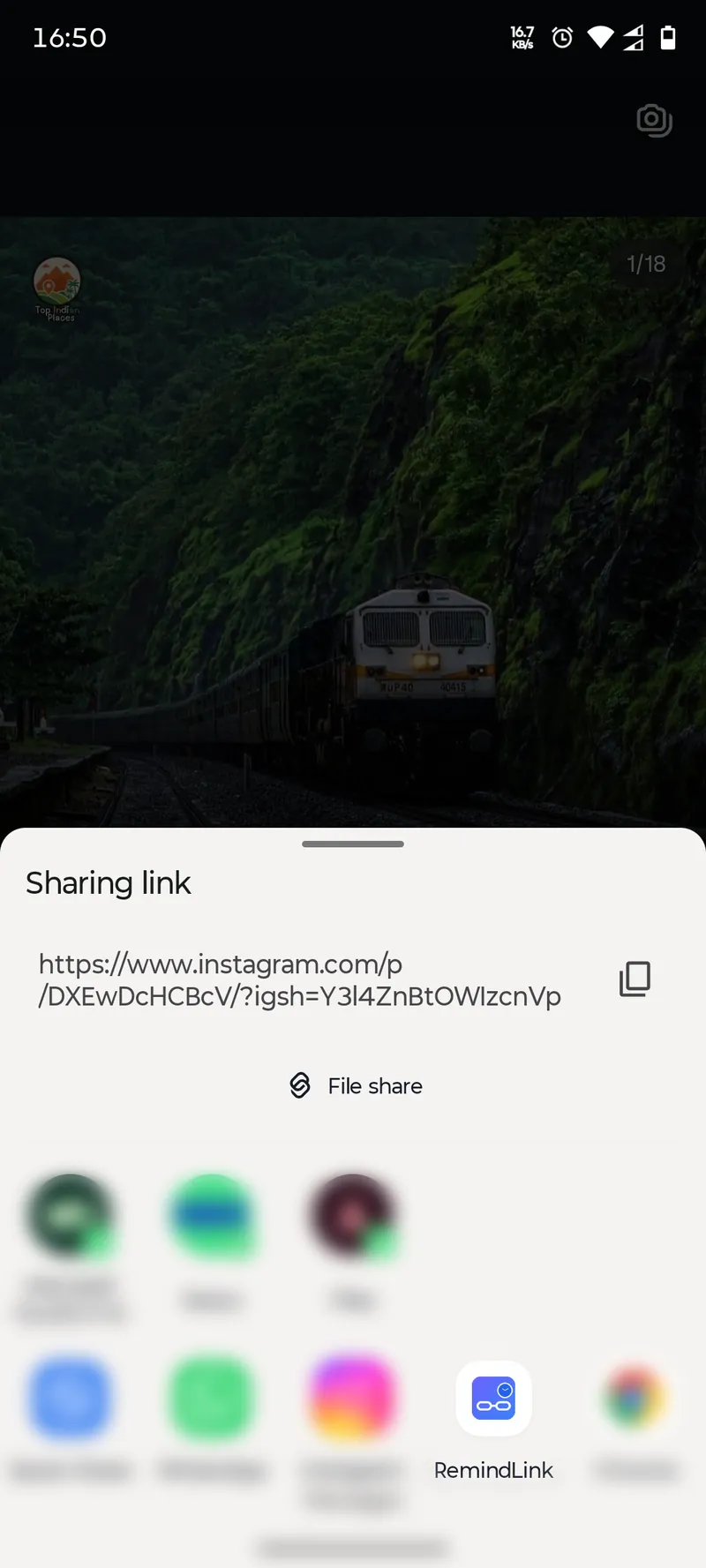
Share from any app

Tap Share in YouTube, Instagram, Reddit, Chrome, WhatsApp — save in one tap.

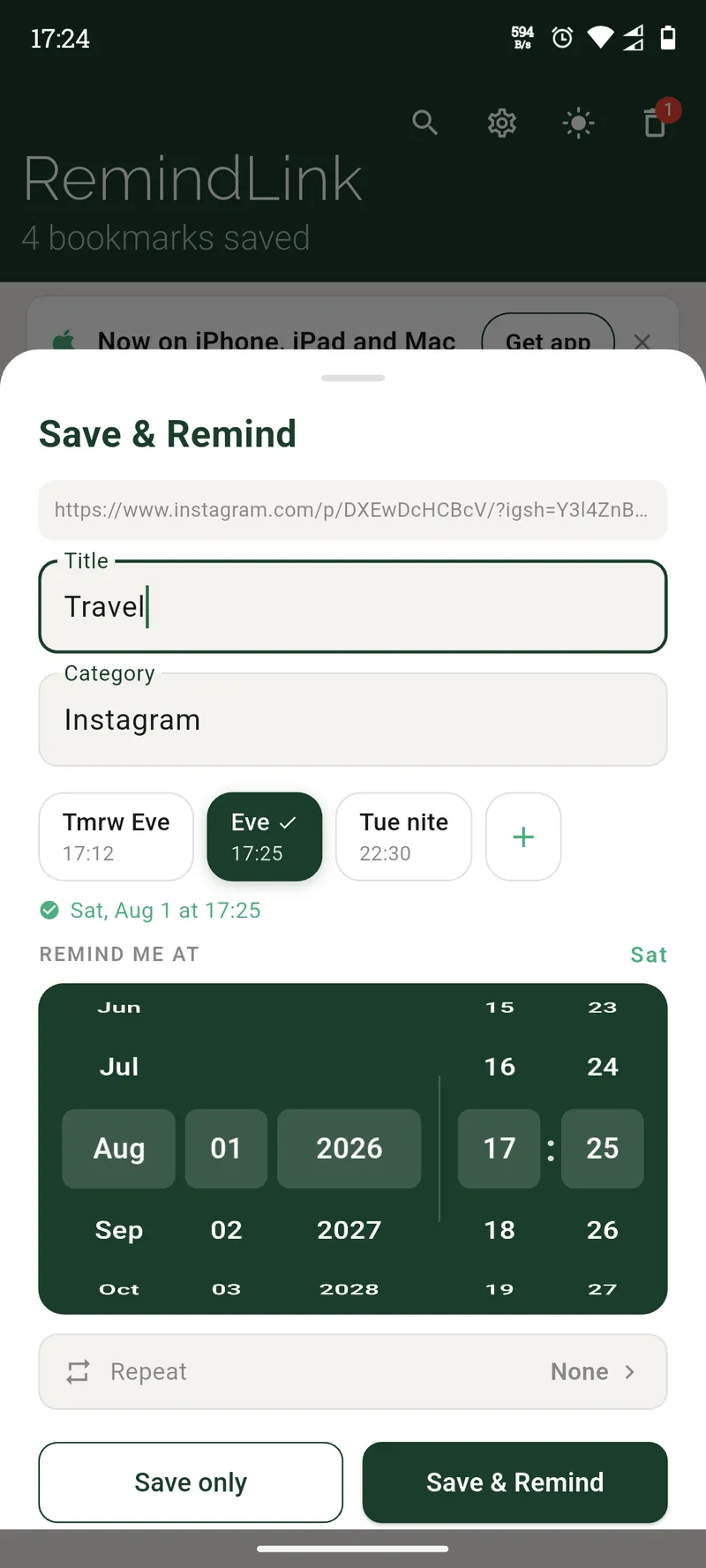
Flexible reminders

One-time or recurring. Daily, weekly, monthly, yearly, or fully custom — down to the hour.

Reminder presets

Save your go-to reminder times as presets, like "Wed Evng" or "Fri Nite", and apply them in one tap when adding a bookmark.

Message to reminder

Paste "read www.techcrunch.com/article tuesday at 6:00 pm" — URL, title, and time split automatically.

🏷️

Auto-categorized

Bookmarks auto-sort by platform — YouTube, Instagram, Reddit, GitHub, and 50+ more.

🔔

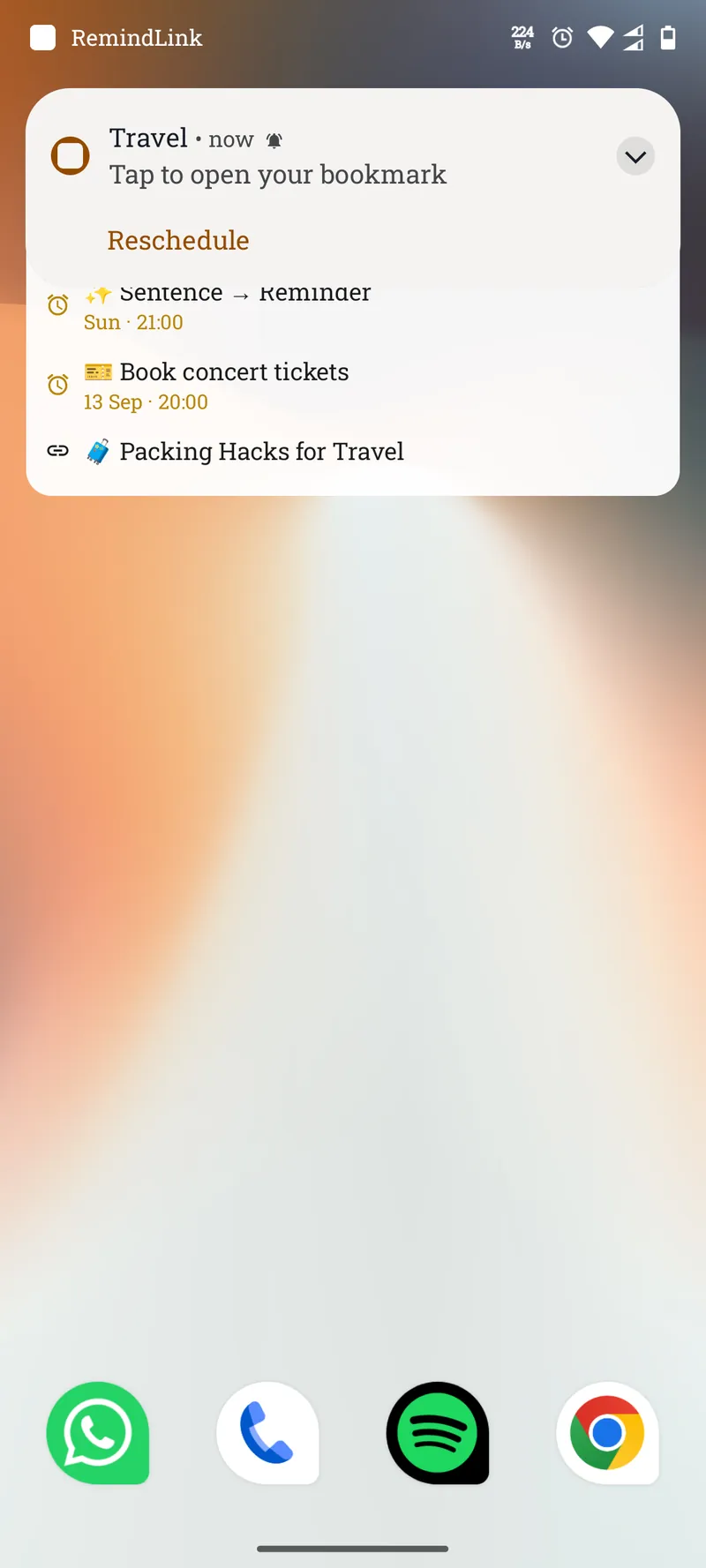
Actionable notifications

Open the link or reschedule directly from the notification — without opening the app.

📦

Bulk actions

Select multiple bookmarks. Delete, copy, export, or set reminders for many at once.

📱

QR code sharing

Move bookmarks between devices by scanning a QR code. Fully offline, no Wi-Fi needed.

💾

Backup & restore

Export all bookmarks and reminders to a file. Import on any device in seconds.

How it works

Three steps.
Zero friction.

01 · Share

Share a link.
Save with a reminder.

RemindLink shows up in your share menu — YouTube, Instagram, Reddit, Chrome, WhatsApp, anywhere. Tap Share, tap RemindLink, pick when to come back.

Share menu showing RemindLink

02 · Remind

Set the perfect
reminder.

Pick any date and time — one-time or recurring. Daily, weekly, monthly, or fully custom. Or just type it: "tuesday evening" or "in 2 hours."

RemindLink add bookmark screen with date picker

03 · Notify

Snooze it.
Don't lose it.

When the reminder fires, reschedule right from the notification — no need to open the app. Your link stays safe until you're ready to read it.

Notification from RemindLink with reschedule action

Message to reminder

Paste anything.
Get a clean bookmark.

Share a message, a link, or a messy note — RemindLink pulls out the URL, title, and reminder time automatically. Try it below.

Add bookmark — parsed result
URL
Title
Reminder

QR Code

No typing.
Just scan.

Generate a QR code from any bookmark — sync it to your other devices, hand it to another RemindLink user, or share a plain link with anyone. No Wi-Fi, no account, fully offline.

Link details

RemindLink · Scan to open

Scan with any camera app or QR scanner

For the full experience

How we compare

Built different.
By design.

Most bookmark apps are read-later tools. RemindLink is reminder-first — the only one that's 100% offline, requires no account, and has recurring reminders built in. For free.

Feature RemindLink Instapaper Raindrop.io Readwise Reader
Reminders ✓ Recurring Pro only, one-time Pro only, one-time
100% offline Partial Partial Partial
No account required
No ads Free tier has ads
QR code sharing
Android & iOS
Completely free Freemium Freemium $9.99/mo

Swipe to see more →

Based on publicly available information. Last verified August 2026.

Privacy

Your links stay on your device. Full stop.

RemindLink has no servers, no accounts, and no cloud sync. Everything you save lives only on your phone.

📵

No account required

Download and start saving. No sign-up, no email, no password.

🏠

Fully offline

Works without internet. Your data never touches a server.

🚫

No ads. Ever.

No advertisers, no ad networks, no sponsored content.

📊

Anonymous analytics only

We collect anonymous event data via Firebase to improve the app. No personal data, no link content.

0

Zero link content or personal data ever leaves your device.

FAQ

Common questions.

Anything else? Email us at roshanshetty.apps@gmail.com

Yes. RemindLink is completely free on both Android and iOS — no subscriptions, no hidden fees.

No. There's no account, no sign-up, and no email required. Just download and start saving links.

Use the Backup & Restore feature to export all your bookmarks and reminders to a file. Import them on your new device in seconds. You can also use the QR code feature to move bookmarks between devices offline.

Yes. Tap Share in any app and select RemindLink. It works with YouTube, Instagram, Reddit, Twitter, Chrome, WhatsApp, Telegram, Slack, and any app with a share menu.

Completely. RemindLink is 100% offline. Your bookmarks and reminders are stored locally on your device and don't require any internet connection to work.

When you share or paste text like "call petshop.com at 6pm tomorrow", RemindLink automatically splits it into a URL, a title, and a pre-filled reminder time. It understands relative times ("in 2 hours"), weekdays ("tuesday evening"), calendar dates ("March 5"), and more.